

In today’s digital landscape, privacy and security are more than just conveniences—they are essential. Whonix is a security-focused Linux operating system specifically designed to provide one of the safest ways to access the internet, including the darknet. By routing all internet traffic through the Tor network and isolating online activity from the user’s main system, Whonix makes it extremely difficult for anyone to trace your identity or monitor your online behavior. For journalists, activists, researchers, or anyone who needs maximum privacy, Whonix is a powerful tool to navigate the internet safely.
What makes Whonix stand out is its unique two-part design. The system is split into a Gateway, which connects to the Tor network, and a Workstation, where all user activities occur. This separation ensures that even if malware or tracking attempts target your workstation, your identity and network information remain protected. Because of this architecture and its strong focus on anonymity, Whonix is widely regarded as one of the safest methods for exploring the darknet and performing sensitive online tasks.
What Makes Whonix Secure
Whonix’s security begins with its unique Gateway-Workstation model, which is the cornerstone of its design. The Gateway handles all network connections through the Tor network, while the Workstation is completely isolated and never connects directly to the internet. This separation ensures that even if the Workstation is compromised by malware or a tracking attempt, the user’s IP address and identity remain hidden. By compartmentalizing online activity, Whonix dramatically reduces the risk of leaks that could reveal sensitive information.
In addition to its architecture, Whonix comes with several built-in security features. It includes pre-configured firewall rules that prevent accidental leaks outside of Tor, DNS leak protection, and measures to block common browser fingerprinting techniques. It also encourages the use of secure, privacy-focused applications and provides tools for verifying downloads and updates. Together, these features create a hardened environment designed to maintain anonymity and protect users against surveillance, making Whonix one of the most secure operating systems for sensitive online activity.
Whonix Vs Tails
While both Whonix and Tails are privacy-focused operating systems, they serve slightly different purposes and excel in different areas. Whonix is generally considered more secure for long-term, online anonymity because of its Gateway-Workstation architecture, which isolates network activity from user operations and minimizes the risk of IP leaks. It is ideal for persistent use on a dedicated virtual machine where strong, ongoing protection is needed.
Tails, on the other hand, shines in portability and convenience, as it can run from a USB drive with all data stored in encrypted persistent memory. This makes Tails an excellent choice for users who need a secure, anonymous system on the go, but it does not provide the same level of compartmentalization and long-term operational security as Whonix. Choosing between them depends on whether your priority is maximum security for extended sessions (Whonix) or mobility and ease of use (Tails).
Installing Whonix
Installing Whonix is surprisingly straightforward, even for users who are new to virtual machines. The process begins by installing VirtualBox, a free and open-source virtualization software that allows you to run multiple operating systems on your computer. Once VirtualBox is set up, you download the Whonix OVA files, which contain the pre-configured Gateway and Workstation virtual machines. Opening the OVA file in VirtualBox automatically extracts the virtual machines to a location of your choice. From there, running both the Gateway and the Workstation virtual machines is as simple as clicking “Start” in VirtualBox, and you are ready to begin using Whonix with its full suite of security and anonymity features.
A Guide to Installing Whonix
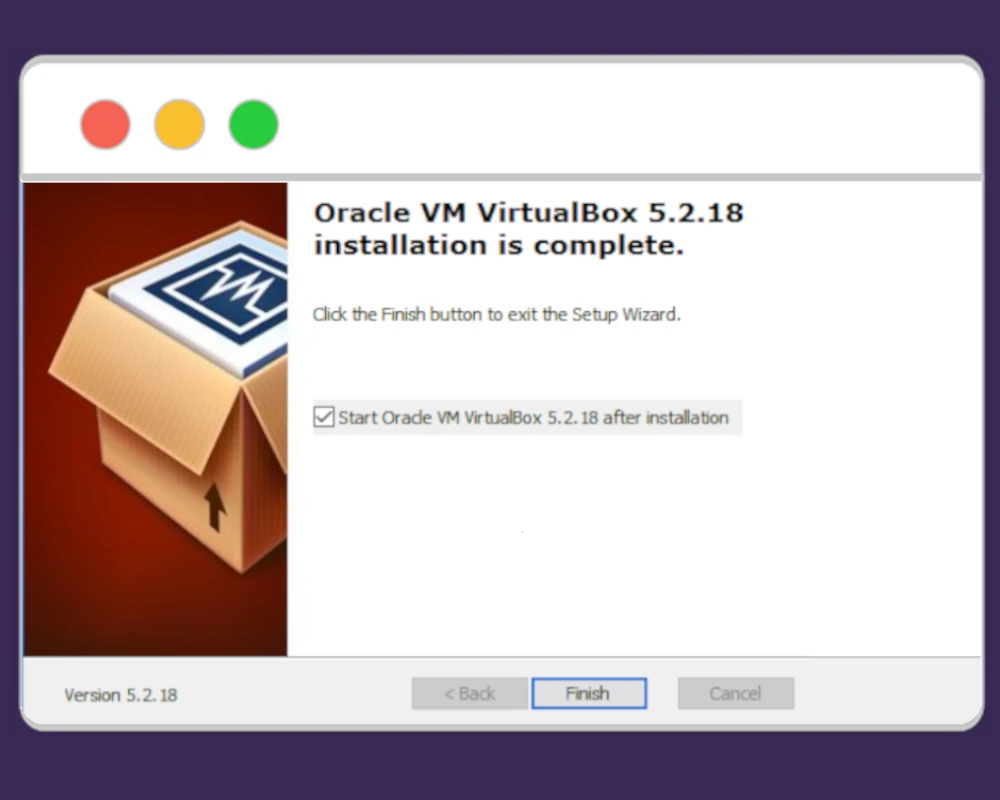
Step 1: Install VirtualBox
Download and install VirtualBox, a free and open-source virtualization software available for Windows, macOS, and Linux. Follow the installer instructions for your operating system to complete the setup.
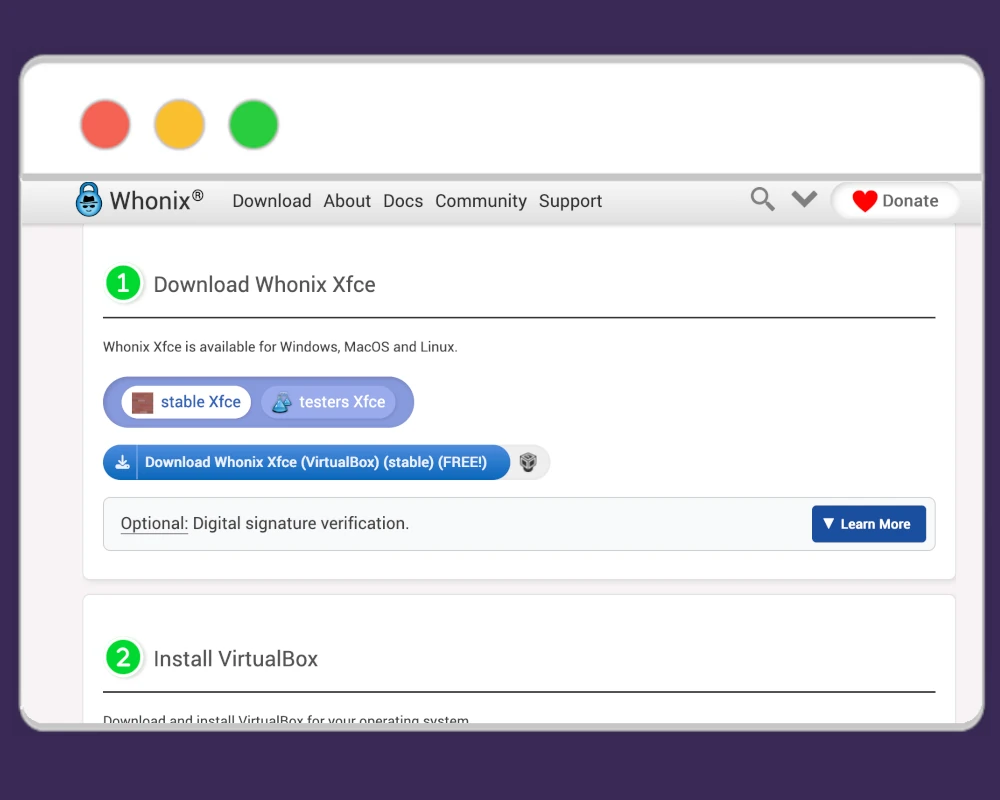
Step 2: Download Whonix OVA files
Go to the official Whonix website and download the latest Whonix OVA Files. You will be prompted to select your operating system/architecture before installing. These OVA files contain pre-configured virtual machines ready for use.
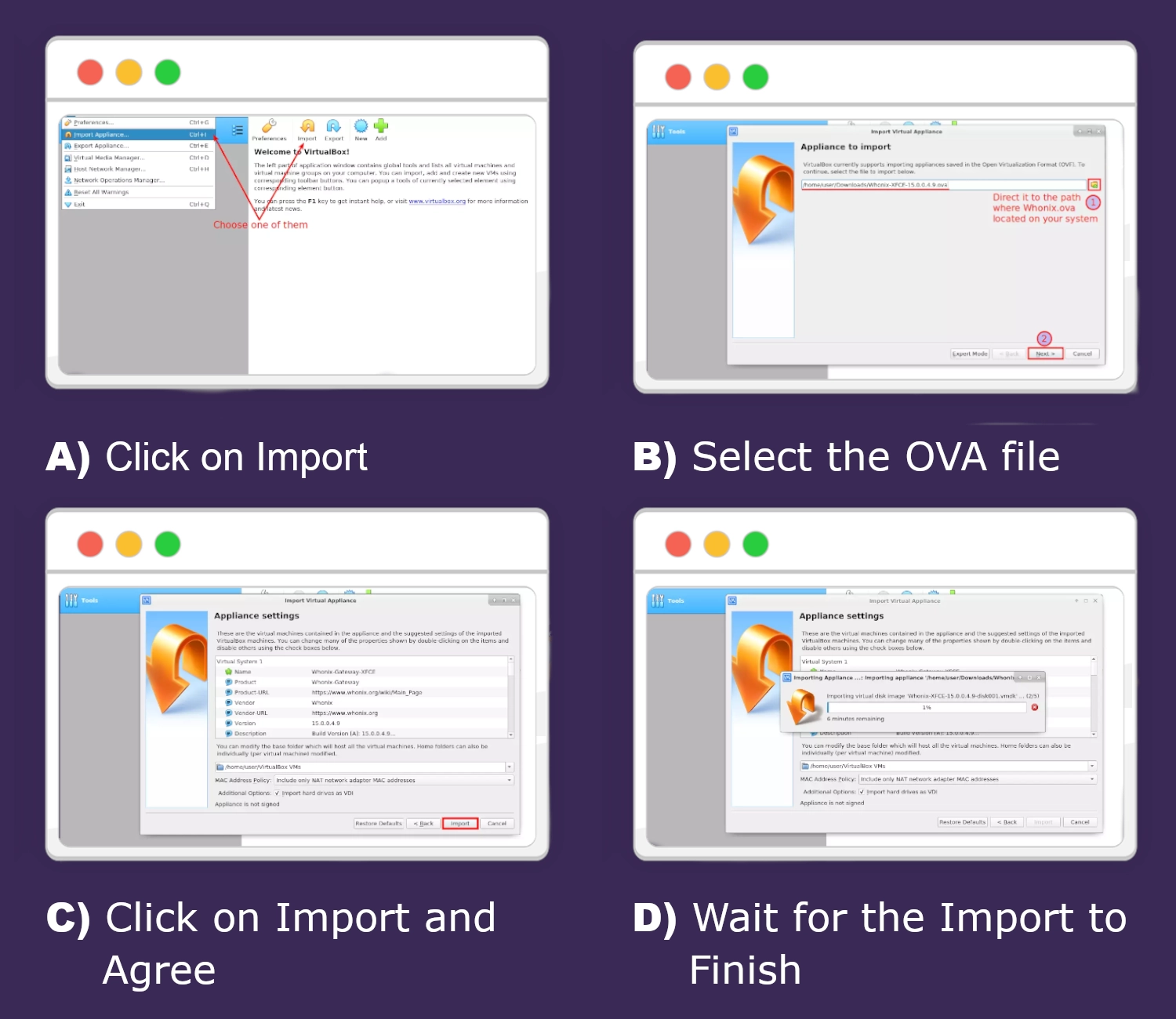
Step 3: Import VMs into VirtualBox
Open VirtualBox and use the “Import Appliance” option to load each OVA file. Choose a location on your computer where you want the virtual machines to be stored. The import process will create both the Gateway and Workstation virtual machines.
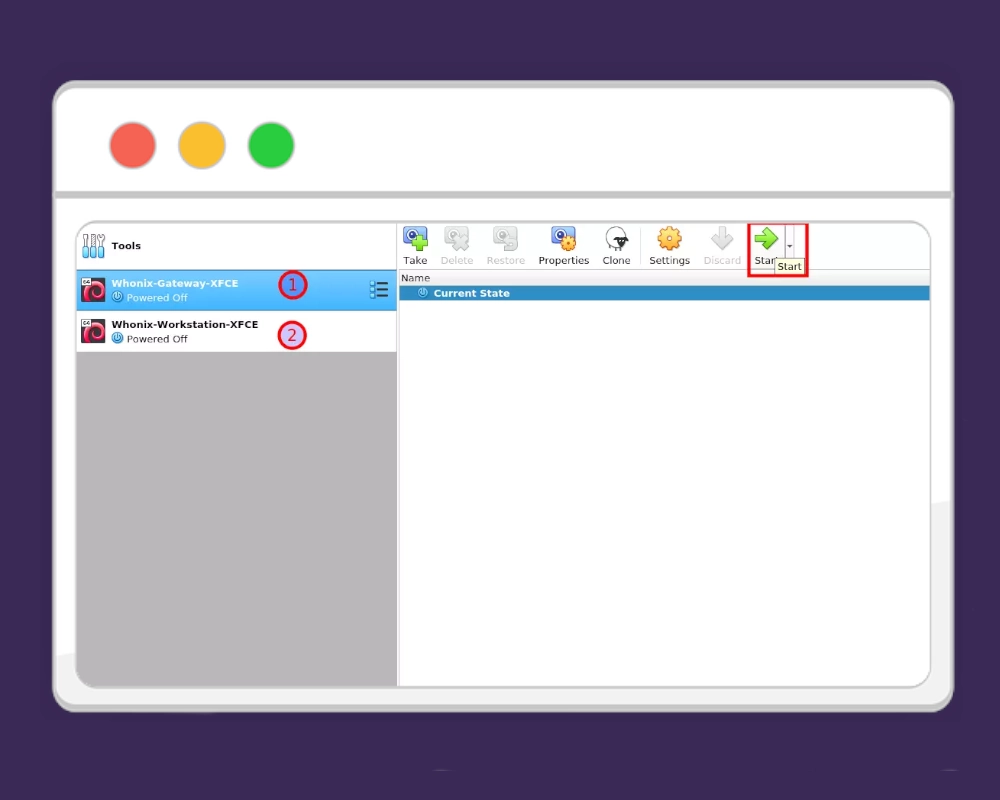
Step 4: Start Both Virtual Machines
In VirtualBox, select the Whonix Gateway VM and click Start. The Gateway handles all internet connections through Tor, so it must be running before the Workstation. Once the Gateway is running, select the Whonix Workstation VM and click Start.
Step 6: Verify the connection
Open the browser in the Workstation and visit a Tor check site to ensure your internet traffic is properly routed through the Tor network. Both VMs are now set up and ready for safe, anonymous browsing.
Remember that the Gateway VM must be running for everything to function properly, as all network traffic is routed through it via Tor for added protection. The Gateway’s sole purpose is to handle these secure connections, and it should never be used for regular activity. All day-to-day tasks and online browsing should be performed exclusively on the Workstation VM, which is isolated and designed for safe, anonymous use.
Always Check for Updates
To update your Whonix systems, open the WhonixCheck program in both the Gateway and Workstation virtual machines. Once the check is complete, WhonixCheck will display a command that you need to copy and paste into the terminal to start the update process. Because all network traffic is routed through Tor, the update may take some time to complete. Regularly running WhonixCheck and applying updates ensures that your system remains secure, stable, and protected against the latest vulnerabilities.
Additional Protection
For users seeking maximum security, Whonix can be further protected by storing its virtual machine files in an encrypted container. Tools like VeraCrypt allow you to create a secure, encrypted volume on your computer or a portable device such as a USB drive. By moving the Whonix Gateway and Workstation OVA files or virtual machine folders into this container, you add an extra layer of protection against unauthorized access. This ensures that even if someone gains physical access to your storage device, your virtual machines—and the sensitive data or configurations they contain—remain fully encrypted and secure. Combining Whonix’s built-in privacy features with an encrypted storage solution creates a robust setup for safe, anonymous computing.
Conclusion
Whonix provides a powerful and reliable environment for anyone who values privacy, security, and anonymity online. Its unique Gateway-Workstation architecture, combined with built-in protections like Tor routing, firewall rules, and leak prevention, makes it one of the safest ways to explore the internet and the darknet. While other privacy-focused systems like Tails offer portability and convenience, Whonix stands out for long-term security and operational safety, especially for users who need persistent, compartmentalized protection.






















0 Comments